Someone on your site has a question right now.
tiny.help is live chat for your website. It answers from everything your business already knows, day and night, and you take over from your phone whenever you like.
14 days free, then from $9 a month. AI on every plan, never per answer.
Running live support on
 GoodSign
 Huckleberry
 Pretty Fast
 Boxkite
 Launch Window
 AskNicely
 Geodde
 Joy Street Poetry
Live chat on your site.
An inbox in your pocket.
Visitors ask in the chat. tinyOS answers first, from everything your business knows. You take over from the desk or your phone whenever you like.
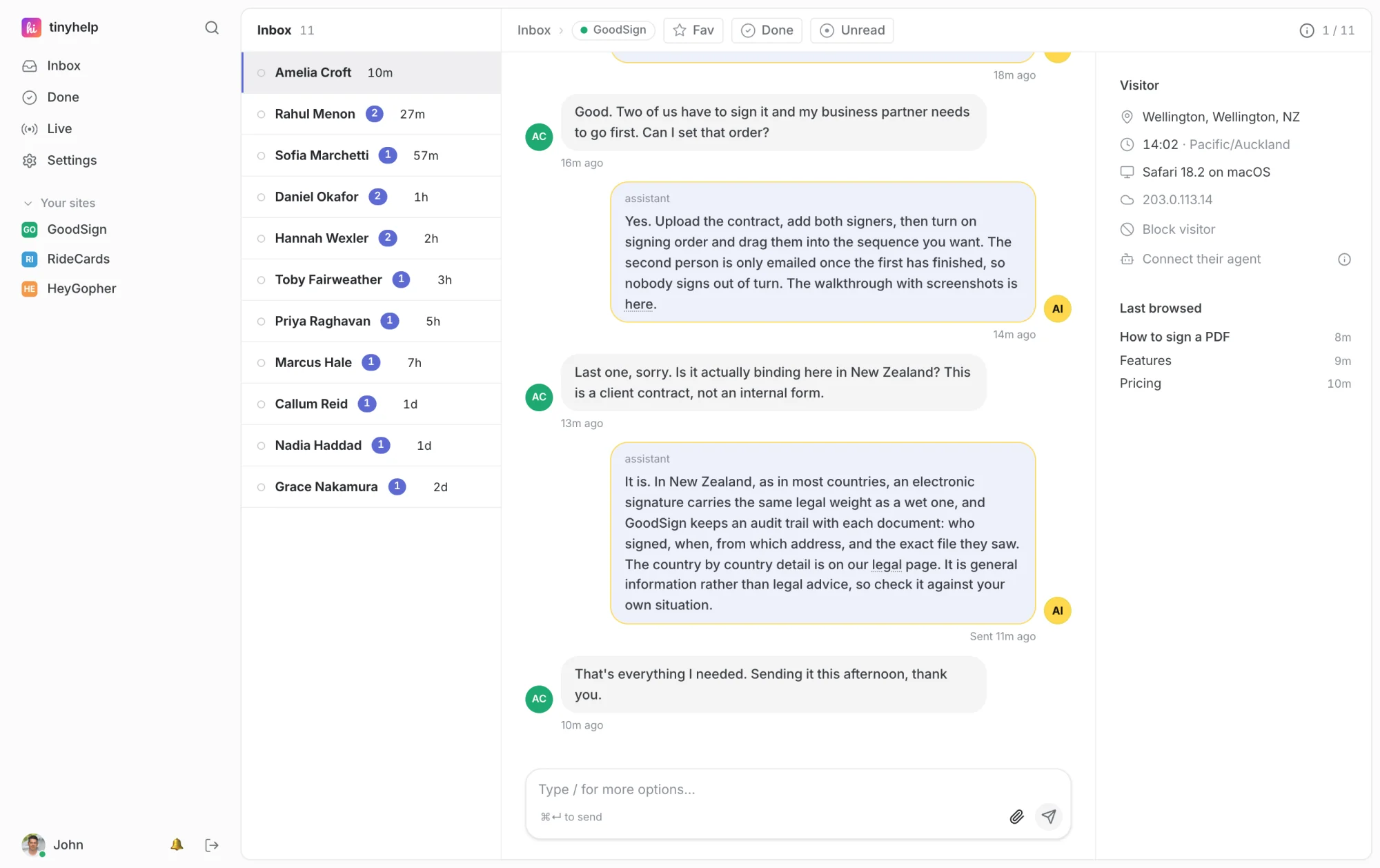
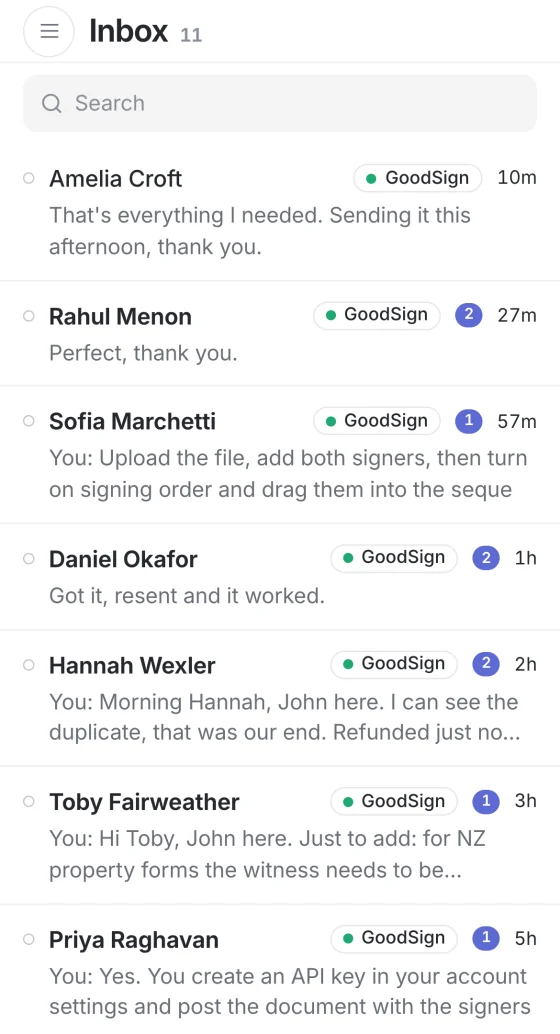
On your site
A chat on every page. Paste one line, or let Claude or Codex install it.
tinyOS answers first
From your pages, docs and code, with a link to the page it used.
You, from anywhere
Every chat and email in one inbox, with push to your phone.
Three places customers quietly give up.
None of them send you an error. Nobody complains. They just leave, and you never find out who they were.
We aim to reply within 2 business days.
Submit enquiryA member of our team will respond within 2 business days.
Meet tinyOS. Everything your business knows, in one place.
It’s the part of tiny.help that answers, and the reason the answers are right. Your site, your docs, your code, your email, your calendar and the customer’s own account, read together before every reply. In seconds, not two business days.

tinyOS
listening
You choose what it reads. Nothing from a customer’s account is shared until you tick it.
Three clicks from “just looking” to a demo in your calendar.
Book a demo lives in the chat, checked against your real calendar, in the visitor’s own time zone. They pick a day, pick a time, leave an email. No scheduling page, no second tool to pay for.
Every plan includes unlimited invoices.
Jump in from anywhere. Even your phone.
A push the moment someone writes. Reply from the desk, your phone or your own email, and it lands in their chat. tinyOS steps aside as soon as you start typing.
- See who’s on your site right now
- Hearts, thumbs up and real confetti, like iMessage
How much better would your product be if bugs got fixed in minutes?
Connect Claude Code or Codex to the desk and it reads the conversation and your code side by side, finds the bug, and drafts the reply. The tricky questions that used to wait for an engineer get answered properly, all at once.
- From Claude on your phone, or Claude Code at your desk
- Drafts first, always. Nothing reaches a customer until you send it
AI on every message. Not an extra.
Metered desks charge for every answer their bot gives, so a busy month costs more than a quiet one. Here the assistant is part of the plan.
A metered desk, at Fin’s $0.99 an answer
$297a month for the answers alone, before anyone has a seat.
tiny.help Solo
$9a month. Every answer included, however many there are.
- Live chat
- Shared inbox
- AI assistant
- Book a demo
- Claude & Codex connector
- Who’s on your site now
- Push to your phone
- Email when you’re away
- Confetti
Running tinyhelp on GoodSign has been a game changer for me, it allows me to talk with customers instantly. Or answer detailed questions using the Claude AI mobile app with the MCP connection.John Ballinger of GoodSign, who build tiny.help
Questions.
Is tiny.help live chat software or a help desk?
Both, and that is rather the point. The chat widget on your site and the shared inbox behind it are one product. A visitor's live chat, their emails, and your team's replies all sit in the same conversation instead of two systems that never quite agree.
How do I install it on my website?
One script tag before the closing </body> tag. No build step and no package to install, so it works on Webflow, WordPress, Shopify, a Rails app, or a hand-edited HTML file. Most people are live in two minutes.
What happens when nobody is online to answer?
Email takes over. The visitor leaves an address, tiny.help emails you, and you reply from your own inbox, and your reply lands back in their chat. If they have already closed the tab, they get it by email, and whatever they write back threads into the same conversation.
Can I see who is on my website right now?
Yes. The Live page lists everyone browsing your sites at that moment, not only the ones who open the chat: the page they’re reading, their city, how long they’ve been there, the browser they’re on, and any data your site passes through. It’s per site, and off until you switch it on.
Can I assign a conversation to someone on my team?
Yes. @name them in a private note and the conversation pins to the top of their inbox, pushes to their phone, and emails them if they’re away. It stays pinned until someone marks it done. Nothing is routed away from anyone else: assignment adds a nudge, it never makes the inbox go quiet for the rest of the team.
Does it answer customers on its own?
Only if you switch it on, and it’s off until you do. It answers from the pages it crawled and the guides your agent wrote, and from nothing else, so it can’t invent a setting or a price. Every answer links to the page behind it. It sticks to how-to, setup, pricing and product questions and says so out loud when a question isn’t one of those, and it never touches billing, cancellations, refunds, legal or security. It stops the moment one of your people starts typing.
Can visitors book a demo from the chat?
Yes. Switch on Book a demo for a site and visitors pick a day and a time right in the chat, in their own time zone, from your hours minus anything busy in your calendar. You both get a calendar invite, and the booking lands in the conversation. It is on every plan. How Book a demo works.
Do I need a Claude or ChatGPT subscription?
No. The assistant that answers your customers runs on our account and is included on every plan, with no per-answer fee. A Claude or ChatGPT plan is what lets your own agent do the setup: read your code, write your support guides, and upload them once you have read every word. Worth having, not required. See how setup with AI works.
How is this different from Intercom, Crisp or tawk.to?
Price shape, mostly. The big desks charge per seat and then again per AI resolution, at $0.49 to $0.99 an outcome, so a small team gets expensive quickly. tiny.help is $9 a month for one site and one person, or $29 for three of each, and the assistant is included rather than metered. It is deliberately smaller: their bots resolve more than ours does, and if you need workflow builders and a ticketing taxonomy, buy one of those instead. Here's the honest comparison with Intercom, including when you should stay put.
Does it work on my phone?
Yes. The whole desk, not a cut-down version. Two taps to add it to your home screen on iPhone or Android and it behaves like a native app, with push notifications the moment a message arrives. It updates itself when we ship.
What does it cost, and is there a free trial?
$9 a month for the Solo plan, up to $199 for Agency, and every plan includes every feature. They differ in how many sites and people they cover. Every account starts with a 14-day free trial. See pricing for the detail.
Coming from somewhere else?
One honest page for each, including when you should stay where you are.
Be the business that answers.
Live on your site in two minutes. Paste one line, or let Claude or Codex set it up and write your guides for you.
14 days free, then from $9 a month. Full refund within 30 days if it isn’t for you.